Simple Device Setup

Firewonder TV Device Installation & Setup Guides

Step-by-step configuration walkthroughs to help you install compatible IPTV players and connect your Firewonder TV credentials on Firestick, Smart TV, Android, Apple devices, computers, and set-top boxes.

Amazon Fire TV & Firestick
Popular Living Room Device

Amazon Fire TV & Firestick

1
Install the Downloader Application

Search for 'Downloader' on the Amazon Appstore and install it. Enable 'Install Unknown Apps' under Firestick Settings > My Fire TV > Developer Options if required.

2
Install a Compatible IPTV Player

Launch Downloader and install your preferred verified player app, such as TiviMate, IPTV Smarters Pro, or XCIPTV.

3
Enter Your Firewonder TV Credentials

Open your player, select 'Login with Xtream Codes API' or M3U playlist, and input your supplied username, password, and server URL.

Apps:TiviMateIPTV Smarters ProXCIPTV
Need help with this device? Contact Support
Samsung & LG Smart TVs
Living Room Displays

Samsung & LG Smart TVs

1
Install a Player from the TV Store

Open the LG Content Store or Samsung Tizen App Store. Search for and install a verified player such as IBO Player, IPTV Smarters, or Smart IPTV.

2
Locate Your TV Account / MAC Information

Launch the installed app to find your device MAC address, device key, or Xtream Codes input fields displayed on screen.

3
Add Firewonder TV Credentials

Enter your account parameters directly into the on-screen fields or upload your playlist through the player's activation portal.

Apps:IBO PlayerIPTV SmartersSmart IPTV
Need help with this device? Contact Support

Android TV, Android Box & Nvidia Shield
Google TV & Set-Top

Android TV, Android Box & Nvidia Shield

1
Open the Google Play Store

Navigate to the Google Play Store on your Android TV, Nvidia Shield, or Android streaming box.

2
Install a Compatible Player App

Search for and download TiviMate IPTV Player, IPTV Smarters Pro, Televizo, or XCIPTV.

3
Add Firewonder TV Account Details

Choose Xtream Codes API or M3U playlist login, enter your subscription parameters, and let your channel list and EPG populate.

Apps:TiviMateIPTV Smarters ProTelevizoXCIPTV
Need help with this device? Contact Support
Apple TV, iPhone & iPad
iOS & tvOS

Apple TV, iPhone & iPad

1
Install from the Apple App Store

Download a verified compatible player such as Smarters Player Lite, GSE Smart IPTV, or Snappier directly from the App Store.

2
Select Supported Login Method

Open the application and choose 'Login with Xtream Codes API' or 'Add M3U Playlist'.

3
Enter Account Credentials

Input your Firewonder TV credentials provided in your confirmation message and start streaming your channels and VOD catalog.

Apps:Smarters Player LiteGSE Smart IPTVSnappier
Need help with this device? Contact Support
Windows PC & Mac
Desktop & Laptop

Windows PC & Mac

1
Install Desktop Streaming Software

Download IPTV Smarters Pro for Windows/macOS or install VLC Media Player on your computer.

2
Load Credentials or M3U Playlist

Log in with your Xtream Codes parameters or open your Firewonder TV M3U network stream URL directly in VLC.

3
Stream in Fullscreen or Windowed

Enjoy multi-channel navigation, customizable aspect ratios, and full playback controls on your desktop monitor.

Apps:IPTV Smarters DesktopVLC Media Player
Need help with this device? Contact Support
MAG & Formuler Set-Top Boxes
Dedicated Hardware

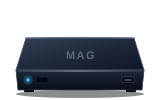
MAG & Formuler Set-Top Boxes

1
Locate Your Hardware MAC Address

Find the 12-character MAC address printed on the underside of your MAG or Formuler set-top box.

2
Configure Portal URL Settings

Navigate to System Settings > Servers > Portals, and enter the Firewonder TV portal URL supplied by customer support.

3
Reboot Device & Verify Access

Restart your set-top box. The portal interface will authenticate and synchronize your live channels and TV guide automatically.

Apps:MAG 254/322/524Formuler MYTVOnline
Need help with this device? Contact Support
Dedicated Setup Assistance

Need Help Setting Up Your Device?

Our technical support team is available 24/7 to assist with player configuration, M3U playlist links, and Xtream Codes parameters.

Official support email: info.firewondertv@gmail.com